A big screen at home used to mean a permanent ceiling mount, a tangle of cables, and a room you could darken at noon. Today’s 4K-capable projectors pull in streaming apps over WiFi, autofocus in seconds, and throw a crisp image onto a blank wall in a sunlit living room. That flexibility is exactly why the category has gotten crowded, and exactly why picking the right model feels harder than it should.
You want a clear image, simple setup, and honest value, whether the projector lives in a home theater, a backyard, or a boardroom. The seven picks below cover living-room entertainment, portable outdoor use, and business-grade laser projection, with real trade-offs called out for each.
The Picks In Brief

VOPLLS 4600 ANSI Smart 4K Projector with WiFi & Bluetooth,Autofocs

Epson Pro EX9270 Wireless 1080p 3-Chip 3LCD Business Projector
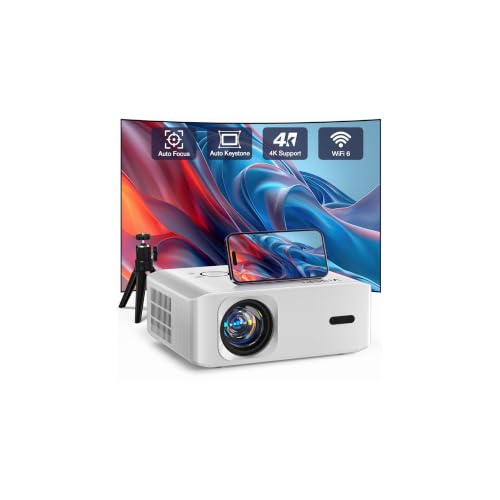
Smart 4K Projector, VISSPL FHD 1080P Video Projector, Portable Outdoor Projector with Tripod

Epson EX3290 3-Chip 3LCD Widescreen WXGA Video Projector
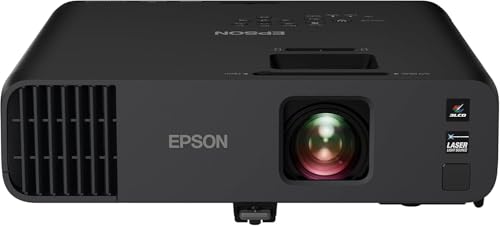
Epson Pro EX11000 3-Chip 3LCD Full HD 1080p Wireless Laser Projector

VISSPL Smart Projector with Google TV, 3500ANSI, 4K Support

Smart Projector with Built-in Apps, 4K Support, WiFi and Bluetooth
The Details Behind The Selections
Bright living rooms have historically been the enemy of casual projector use, and the VOPLLS 4600 ANSI Smart 4K Projector pushes back hard with 4600 ANSI lumens of output. “ANSI lumens” is the standardized brightness measurement, so a higher number genuinely means a watchable image with the curtains open. Full 4K input support, HDR10+ (a high-dynamic-range format that boosts contrast and color depth), and a wide color gamut give it a punchy look against most wall paints.
Compared to the office-leaning Epson picks later in this list, this VOPLLS is built for casual home streaming with autofocus and WiFi streaming baked in. For most living rooms with controlled light, it’s the one that lets you skip blackout curtains and still enjoy Friday-night films.
The Value In It
- 4600 ANSI lumens hold up against daylight and lit lamps.
- Full 4K input with HDR10+ produces richer shadows and highlights.
- Autofocus and Bluetooth audio cut setup to roughly a minute.
- Wide color gamut helps skin tones and animated content look natural.
- WiFi streaming means fewer cables trailing across the room.
Things To Consider
- Fan noise is audible at full brightness in a quiet bedroom scene.
- Built-in speakers are fine for voices but thin for action soundtracks.
- Owner reports suggest the smart-app interface benefits from occasional firmware updates.
Key Specs
Right Fit For
Casual home theater fans who stream a lot of content and rarely want to fully darken a living room.
Consider Something Else When
Office users who prioritize text clarity and wireless screen mirroring should look at the Epson Pro EX9270 instead.
The Epson Pro EX9270 is what happens when a boardroom-first projector shows up in a hybrid office. Its 3-chip 3LCD engine produces equal color and white brightness, which is the technical reason spreadsheets, dashboards, and slide decks look balanced rather than washed out. The image scales up to roughly 300 inches, dwarfing the 75-inch flat panel most meeting rooms ship with.
Where the VOPLLS prioritizes casual streaming, the EX9270 leans into wireless screen sharing and the kind of pixel-sharp text a finance team expects from a quarterly review. You may find it less cinematic than the VOPLLS for late-night movies, but for daytime presentations it stays readable with overhead lights on.
Useful Touches
- 3LCD engine keeps colors balanced at high brightness.
- Wireless connectivity removes the dongle shuffle from guest laptops.
- 300-inch image ceiling suits large training rooms.
- Widescreen aspect matches modern laptop screens without letterboxing.
Worth Noting
- Native resolution is 1080p rather than 4K input.
- Bulb-based design means lamp replacement down the road.
Made For
IT teams and office managers running mixed-day meeting schedules in mid-to-large conference rooms.
A Better Fit Elsewhere
Home theater shoppers who want built-in streaming apps should reach for the VISSPL Smart Projector with Google TV instead.
This VISSPL ships with a tripod in the box, and that small detail reframes what you can do with it. Pop it on the included stand in a backyard, on a kitchen counter for cartoons, or on a coffee table for gaming, without fishing for a separate mount. AI autofocus and auto keystone correction handle the rest, locking in a square image even when the projector sits at an awkward angle.
It supports 4K input but the native panel is FHD 1080p, so what you actually see is a 1080p image with 4K sources downscaled. Compatibility across Android, iOS, Windows, HDMI, and USB means a phone, laptop, or streaming stick all plug in without fuss.
A Few Highlights
- Bundled tripod removes a separate purchase.
- AI autofocus and keystone save fiddling in tight spots.
- Wide compatibility fits phones, tablets, and laptops.
Minor Gripes
- Native 1080p panel, not true 4K pixel-for-pixel.
- Outdoor image washes out before sunset on a bright patio.
- Built-in speakers are small-room only.
Perfect Match For
Families and renters who want a portable, grab-and-go projector for kids’ movies, gaming nights, or backyard weekends.
Look Elsewhere When
Anyone wanting native 4K pixel resolution should consider the VOPLLS 4600 ANSI Smart 4K Projector instead.
The Epson EX3290 leans on the same 3LCD color architecture as the EX9270 above, but trims resolution to WXGA (1280×800) and asks less of your budget. 4,000 lumens of color and white brightness keep slides readable in lit classrooms, and the 300-inch image ceiling still beats any wall-mounted TV in the room.
It’s a portable conference-and-classroom tool, not a home theater. Compared to the VISSPL family pick, the EX3290 feels closer to a workhorse than a streaming box, but for spreadsheet-and-slide sessions it pulls its weight.
Benefits That Matter
- 4,000 lumens handles overhead fluorescent lighting.
- 3LCD color avoids the rainbow effect single-chip projectors can show.
- 300-inch projection size scales to lecture-hall rooms.
- Widescreen aspect matches most laptop displays cleanly.
- Portable form factor moves easily between rooms.
Points To Keep In Mind
- WXGA resolution looks soft next to 1080p or 4K sources.
- Lamp-based engine requires eventual bulb replacement.
Quick Facts
Who It Suits Best
Schools, training rooms, and small businesses that need bright, accurate slides at a sensible cost.
Reach For A Different Pick When
Teams wanting laser-grade brightness and lower maintenance should consider the Epson Pro EX11000 instead.
The Pro EX11000 swaps the traditional lamp for a laser light source, which is the kind of change that sounds small until you live with it. There are no lamps to replace, no warm-up delays, and the brightness holds steady for years instead of slowly dimming. 4,600 lumens of color and white output keep it readable with the conference lights on, while 3-chip 3LCD color keeps charts honest.
Compared to the bulb-based EX3290, this one is built for offices that run projectors daily and don’t want to budget for replacement lamps. You may find the 1080p native panel modest for cinematic 4K content, but for hybrid meetings and large displays it’s the strongest of the Epson lineup in this roundup.
The Good Stuff
- Laser engine means near-zero maintenance.
- 4,600 lumens handle large, bright rooms.
- Wireless connectivity simplifies guest laptop hookups.
- 300-inch image size dominates any conference wall.
- 3LCD avoids the color-fringe artifacts of single-chip designs.
Trade Offs
- Higher upfront cost than lamp-based siblings.
- Native 1080p rather than true 4K.
Best Suited To
Hybrid offices and universities running projectors heavily, where laser longevity beats the savings of a cheaper lamp model.
Where A Sibling Pick Shines
Casual streaming households wanting 4K input at lower cost should grab the VOPLLS 4600 ANSI Smart 4K Projector instead.
The VISSPL Smart Projector with Google TV is the rare model that genuinely skips the streaming stick. Google TV is built in, with access to YouTube, Prime Video, Disney+, and thousands of apps from one home screen, plus voice control and personalized recommendations. WiFi and Bluetooth handle the wireless side, and AI autofocus plus auto keystone keep the image square no matter where you perch it.
3,500 ANSI lumens with 4K support lands in a sweet spot for bedroom ceilings and casual living rooms where you don’t need VOPLLS-grade daylight brightness. Compared to the tripod-included VISSPL earlier, this one is more living-room anchored and more app-centric.
Well-Handled Touches
- Google TV removes the need for an external streaming stick.
- Voice control simplifies search across apps.
- AI autofocus and keystone adapt to placement changes quickly.
- Bluetooth audio pairs with soundbars and headphones.
Honest Caveats
- 3,500 ANSI lumens fall short of VOPLLS in bright rooms.
- App support evolves over time via updates rather than fixed feature sets.
Who Should Grab It
Apartment dwellers and bedroom users who want a ceiling-mounted or shelf-mounted streaming projector without extra boxes.
Swap It Out When
Anyone needing daylight-strong brightness for a sunlit room should consider the VOPLLS 4600 ANSI Smart 4K Projector instead.
The TOPTRO mini portable projector keeps the formula tight: native 1080p panel, 4K input support, auto focus, and Dolby audio in a body small enough to toss in a backpack. YouTube and Prime Video come pre-loaded, and a 360-degree adjustable stand makes it friendly to off-center placement on a hotel desk or tent table.
Where the larger VISSPL with Google TV is the living-room anchor, this one earns its keep in smaller spaces and on the road. The honest comparison is to the tripod-included VISSPL earlier: that model is more outdoor-rugged with a bundled stand, while this TOPTRO is the lighter, more app-centric travel pick.
Where It Helps
- Compact form factor fits carry-on bags and small shelves.
- Dolby audio improves built-in sound over typical mini projectors.
- Auto focus trims setup time in unfamiliar rooms.
- 360-degree stand handles awkward placement angles.
A Few Limitations
- Native 1080p, not true 4K pixel resolution.
- Brightness trails the VOPLLS in lit environments.
Feature Snapshot
Whose Shelf It Belongs On
Travelers, students, and small-room dwellers who want a grab-and-go projector for hotel rooms, dorms, or short trips.
Not Your Match When
Anyone hosting backyard movie nights should pick the tripod-included VISSPL FHD 1080P Video Projector instead.
Choosing 4K Projectors That Match Your Space
Brightness vs Room Light
The single biggest factor in projector satisfaction is how your room handles light. ANSI lumens are the standardized way to measure output, and the practical rule is simple: under 2,000 lumens needs a near-dark room, 2,000 to 3,500 handles dim evening use, and 3,500+ stays watchable with curtains open. The VOPLLS 4600 ANSI model lives in that last group, while the smaller TOPTRO and VISSPL Google TV pick assume a darker room.
Resolution: Native vs Input Support
“4K projector” can mean two different things. True 4K panels show all 8.3 million pixels individually, while 4K input support means the projector accepts a 4K signal and downscales it to a lower native panel. Most models in the under-$1,000 bracket, including the VISSPL and TOPTRO picks here, support 4K input but run native 1080p panels. That’s still sharp for most viewers, but anyone sitting close to a 120-inch screen will notice the difference.
Lamp vs Laser Light Sources
Traditional lamp projectors are cheaper up front but need bulb replacements every few thousand hours. Laser projectors, like the Epson Pro EX11000, cost more initially but run maintenance-free for the life of the unit. For a daily-driver conference room, laser wins on total cost. For occasional weekend movie nights, a lamp model is often the smarter buy.
Portability and Setup
If the projector lives in one spot, image alignment and ceiling mounting matter most. If it travels between rooms or goes outdoors, weight, autofocus, and auto keystone (the feature that squares the image when the projector is angled) become the deciding factors. The tripod-bundled VISSPL and the 360-degree-stand TOPTRO are the friendliest grab-and-go options on this list.
Key Considerations Across These Picks
Common Buying Traps
Shopping for projectors by resolution alone is the most common miss. A 4K input label on a native 1080p panel doesn’t produce the same image as a true 4K panel, and a 5,000-lumen claim on an unbranded single-chip unit can look dim next to a 3,000-lumen 3LCD. Always check ANSI lumen ratings and chip architecture rather than trusting headline numbers. Speakers are another quiet disappointment: built-in audio is fine for voices but rarely carries a film soundtrack, so budget for a soundbar or external speaker if you care about sound.
Where The Extra Money Goes
The jump from a budget portable to a brighter home theater model mostly buys more lumens, better color engines, and quieter cooling. The jump to laser buys a longer-lasting light source and consistent brightness year over year. If the projector sits in a bright living room or runs daily in an office, those upgrades pay for themselves. If it lives in a basement home theater and runs a few nights a week, a mid-tier lamp model often makes more sense.
Frequently Asked Questions
Do I need a true 4K panel or is 4K input enough?
For screens under 100 inches viewed at normal seating distance, 4K input on a quality 1080p panel usually looks excellent. True 4K panels matter more for very large screens or close seating.
How many lumens do I need for a bright living room?
Around 3,500 ANSI lumens or higher handles typical daytime light with curtains open. Lower output works fine in the evening or in a dedicated dark room.
Are laser projectors worth the extra cost?
For daily-use conference rooms and long-term home setups, yes. The maintenance-free light source and stable brightness usually justify the higher upfront spend. For occasional weekend use, a lamp model is more budget-friendly.
Can I use a portable projector outdoors?
Yes, but you’ll want a dark evening or a shaded patio for the best image. Daylight washes out all but the brightest units, and ambient noise can drown out the small built-in speakers.
What’s the difference between 3LCD and single-chip DLP?
3LCD (the architecture used in the Epson models here) produces equal color and white brightness and avoids the rainbow flicker some viewers see on single-chip DLP. DLP is often more compact, which is why many portable models use it.