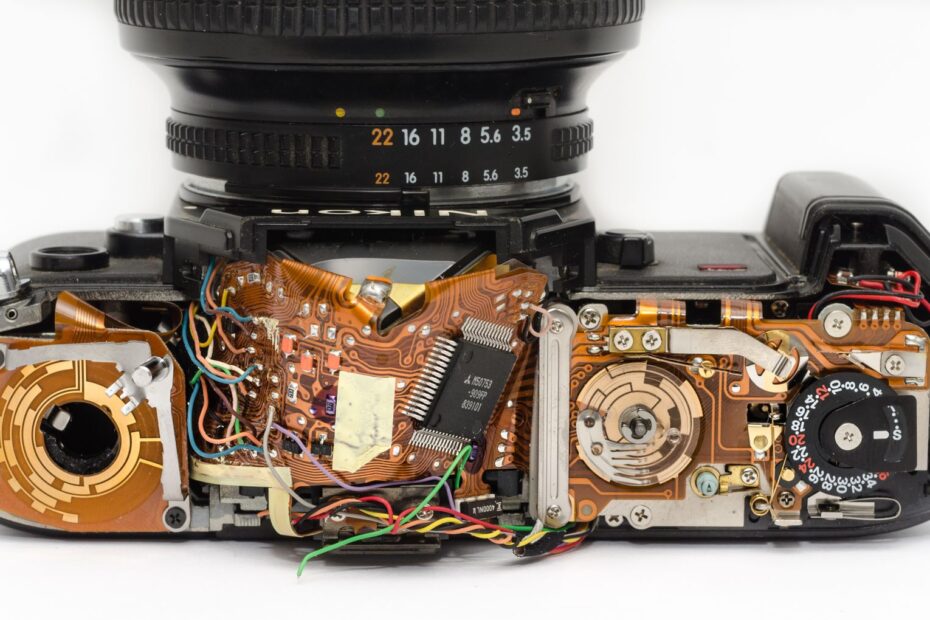
At the press of the shutter button, physical curtains or sensor timing determine when exposure begins and ends. Your choice affects noise, burst shooting, flash synchronization speed, banding and flicker, shutter count, and how moving subjects hold their shape.
This guide helps photographers choose the right shutter mode for quiet ceremonies, fast action, artificial lighting, flash work, and cameras that offer electronic first-curtain options.
Two Exposure Methods Control the Sensor
Every photo begins with light reaching the sensor for a set duration. Your camera controls that duration through moving curtains, electronic sensor timing, or a hybrid setting that blends both methods.
Mechanical shutters move physical curtains
A mechanical focal-plane shutter uses two thin curtains in front of the sensor. The front curtain opens the exposure, then the rear curtain closes it. At faster speeds, the curtains form a narrow moving slit rather than exposing the entire sensor at one moment.
That curtain travel creates the click from an interchangeable-lens camera. Each exposure adds mechanical movement, so your shutter count rises with curtain-based photos. Many enthusiast and professional camera bodies list shutter ratings of 150,000, 200,000, or more actuations.
Physical timing gives you a consistent reference point for flash and indoor lighting. Your camera records each frame through curtain movement rather than line-by-line sensor scanning, which reduces shape distortion during a fast pan or a spinning wheel.
Electronic shutters time sensor capture
On most mirrorless cameras, exposure can begin and end through sensor timing with no curtains moving during capture. Silent shooting follows because no curtain cycle occurs. Your camera still records light, but the sensor handles exposure timing rather than a mechanical assembly.
Most electronic shutters read the sensor line by line from top to bottom or bottom to top. That rolling shutter process creates a trade-off: you gain silence and high burst shooting rates, yet fast movement or pulsing lights can leave visible artifacts in your frame.
| Mode | Noise and wear | Flash behavior | Speed and limits |
|---|---|---|---|
| Fully mechanical | Audible curtain movement and mechanical wear | Broad flash compatibility within listed sync speed | Consistent timing, though burst rates can be lower |
| Fully electronic | Silent capture with no curtain actuation | Flash can be disabled or restricted | Very fast speeds and bursts, with rolling-shutter and flicker risk |
| Electronic Front-Curtain Shutter (EFCS) | Reduced front-curtain noise and vibration | Often retains familiar flash operation | Can alter blur rendering at very fast speeds |
Mechanical vs electronic shutter is not a contest with one permanent winner. Your scene sets the priority: silence, motion geometry, flash access, artificial lighting behavior, or reduced vibration. A quiet ceremony and an LED-lit gym can demand opposite shutter modes from the same camera.
Sensor Readout Speed Sets the Electronic Trade-Off
Silent capture removes curtain movement, but sensor readout speed decides how clean that silence looks. A sensor that scans quickly records less subject movement between its top and bottom rows than a sensor that scans slowly.
Electronic capture removes shutter shock
Shutter shock is the small vibration created as a mechanical curtain begins moving. Around 1/30 to 1/200 second, that vibration can soften fine detail with a telephoto lens, a close-up setup, or a camera mounted on a light tripod.
Your focal length, subject distance, and magnification affect how visible that blur becomes. At 1:1 macro magnification, a flower stem can fill the frame, making even slight camera movement visible in petals, pollen, or fine leaf texture.
Electronic capture removes the opening-curtain movement. You can photograph insects, food, jewelry, or a sleeping newborn without a curtain click or added shutter shock. Silence also helps near skittish wildlife, where repeated mechanical noise can alter an animal’s behavior.
Some cameras offer electronic speeds of 1/16,000 or 1/32,000 second. Those speeds help you keep a wide aperture in bright daylight without a neutral-density filter. Your burst shooting rate can also rise because the curtains do not need to travel between frames.
Mechanical timing keeps motion geometry steadier
Physical curtains add sound and wear, yet they keep exposure timing familiar under flash, LED-lit interiors, and fast lateral movement. Your camera still has limits at high shutter speeds, but the frame does not depend on slow line-by-line sensor readout.
Sensor readout speed matters more than the electronic label in your menu. A stacked sensor can scan a frame in a small fraction of a second. A slower sensor takes longer, allowing a fast subject to shift position during the same recorded frame.
| Situation | Electronic shutter result | Mechanical shutter result |
|---|---|---|
| Quiet wedding vows | Silent and discreet | Click can carry in a quiet room |
| Fast bird wingbeat | Strong result with fast sensor readout | More dependable shape accuracy |
| Handheld macro image | No shutter shock | Minor vibration can affect detail |
| Indoor LED gym | Banding can appear | More stable exposure pattern |
A Sony stacked-sensor body can behave very differently from an entry-level mirrorless camera in silent mode. Brand names do not settle the issue. Your sensor design, readout speed, shutter speed, and subject movement determine whether electronic capture fits the scene.
Those variables also govern the distortions and banding that can turn an otherwise well-timed exposure unusable.
Rolling Shutter and Flicker Can Damage a Frame
A straight goalpost can lean during a silent burst even though it stood vertical in front of your lens. Rolling shutter distortion causes that result because the sensor records one line after another instead of recording the full frame at the same instant.
Fast motion shifts during line-by-line readout
Pan across a city street with a slower electronic readout, and lamp posts can slant diagonally. The top of the frame records the post at one camera position. The bottom records it after your pan has continued, turning a rigid line into a tilted shape.
Fast subjects create the same problem in another form. Golf clubs can bend, tennis rackets can warp, aircraft propellers can form odd arcs, and wheels can look oval or skewed. Your electronic shutter vs mechanical shutter for sports choice becomes more consequential where shape accuracy matters more than silence.
Birds in flight add a separate challenge. A wing tip can move several inches during sensor readout while the body shifts in another direction. Your burst frame can appear sharp, yet the bird’s anatomy can look unnatural during close inspection.
- Fast pans Lateral camera movement can tilt vertical buildings, poles, and door frames during electronic readout.
- Spinning objects Propellers, wheels, rackets, and bats can bend or skew because each sensor row records a different instant.
- Rapid wings Birds and insects can show distorted wings even where the eye and body remain sharp.
- Slower sensors A longer readout interval gives moving subjects more time to shift across the frame.
- Stacked sensors Faster readout reduces distortion, though it does not erase every motion-related artifact.
Pulsing lights create bands and color shifts
LED fixtures, fluorescent tubes, stage lights, and gym lighting can change brightness several times per second. Your eyes may see steady illumination, but the light source can pulse through power frequency or an internal dimming system.
Electronic readout scans through bright and dim portions of that cycle. Dark horizontal stripes, bright bands, uneven exposure, or shifted color can appear across your file. At 1/1000 second under low-quality LEDs, banding and flicker can become obvious from one burst frame to the next.
Use silent mode carefully under unknown indoor lighting. A clean preview does not prove that a burst at 1/2000 second will remain clear of horizontal bands.
A global shutter records the entire sensor frame at the same moment. Global-shutter cameras sharply reduce rolling-shutter distortion and can offer stronger flash behavior. Your specific model can still carry trade-offs involving dynamic range, resolution, heat handling, or high-ISO performance.
Global shutter does not make every electronic mode identical. Check your camera’s sensor type rather than assuming a Canon, Fujifilm, Sony, Nikon, OM System, or Panasonic body handles motion like another model from the same brand.
Flash Synchronization Favors Physical Curtains
A flash burst lasts far less time than a standard exposure, so the entire sensor needs open access to that light. Mechanical shutters handle this through flash synchronization speed, the point where both curtains leave the sensor fully uncovered.
Sync speed sets the flash limit
Many cameras list a flash synchronization speed around 1/160, 1/200, or 1/250 second. At or below that value, the shutter opens fully before the rear curtain starts closing. Your flash can illuminate the full frame during that brief open interval.
Above the listed sync speed, a focal-plane shutter forms a moving slit. A standard flash burst lights only part of the sensor, leaving a dark bar along one edge. High-speed sync pulses the flash through curtain travel, though it reduces available flash power.
Electronic shutter flash compatibility varies by body, sensor design, firmware, and flash system. Conventional electronic shutters can lack a moment where the full sensor is ready for a single flash burst. Many cameras restrict flash, reduce sync speed, or limit wireless triggering during silent capture.
- Switch modes Use mechanical capture or EFCS for portrait sessions, product work, and reception lighting that depends on flash.
- Check sync speed Keep your shutter at or below the listed normal sync limit unless high-speed sync is active.
- Inspect frame edges A black strip at the bottom or side shows that curtain travel blocked part of the flash burst.
- Fire five frames Shoot five photos at planned settings before a paid event begins.
- Read menu notes Silent, electronic, and anti-flicker settings can alter flash access on the same camera.
High-speed action under flash brings another trade-off. You can freeze a dancer through flash duration at modest shutter speeds, but full electronic capture may not cooperate. Mechanical mode gives your session a steadier path unless the camera manual states full electronic flash support.
When silence is desirable but flash timing remains essential, a hybrid approach can preserve both priorities.
EFCS Blends Electronic and Mechanical Timing
Electronic first-curtain shutter, also called EFCS, begins exposure electronically and ends it with a physical rear curtain. Your camera avoids opening-curtain vibration while retaining physical curtain timing at the end of the exposure.
EFCS lowers vibration without full silence
This hybrid setting works well for daylight images where small vibration matters. You get less front-curtain noise, less shutter shock, and flash behavior closer to mechanical capture than fully electronic mode.
Your camera still makes sound because the rear curtain travels. That sound is softer than a complete mechanical cycle on many bodies, but it does not suit a hushed ceremony or a sensitive wildlife hide.
Electronic front-curtain shutter vs mechanical shutter matters most at moderate shutter speeds. A tripod-mounted landscape at 1/60 second, a close-up food image, or a long-lens portrait can benefit from reduced vibration without accepting every rolling-readout limitation of silent capture.
Fast exposures can alter blur shape
At very fast shutter speeds, the electronic opening and moving rear curtain do not always expose every part of the frame in the same way. Wide apertures make that difference easier to see because out-of-focus highlights reveal their shape clearly.
A portrait at f/1.2 and 1/4000 second can show uneven background blur near frame edges on some camera-and-lens combinations. Your subject can remain sharp, yet circular highlights can appear clipped or stretched. Camera manuals sometimes list an EFCS speed limit for that reason.
| EFCS strength | Where it helps | Where to switch away |
|---|---|---|
| Less vibration | Macro, tripod work, telephoto portraits | Ultra-fast shutter speeds with fast lenses |
| Reduced noise | Casual indoor work and quiet streets | Places requiring complete silence |
| Familiar flash use | Flash portraits within sync speed | Camera modes that restrict EFCS flash behavior |
EFCS is not a universal substitute for either mode. It is a middle setting for situations where you want lower vibration while still needing physical-curtain timing for flash or indoor lighting.
Subject and Light Determine the Starting Mode
A quiet wedding and a floodlit basketball court can require opposite settings from the same camera body. Your subject movement, venue lighting, flash plan, and tolerance for distortion should direct the shutter choice.
Quiet scenes favor electronic capture
A hushed wedding ceremony or wildlife hide benefits when the camera makes no audible shutter sound. Street work benefits from discretion, wedding vows remain quieter, and close macro work avoids the small vibration caused by curtain movement.
Your electronic shutter vs mechanical shutter for wildlife choice depends on the animal and the camera. A perched owl in soft morning light suits silent capture. A fast swallow crossing the frame calls for a fast-readout sensor or a mechanical setting that keeps wing shape accurate.
Uncertain lighting favors physical curtains
School gyms, conference rooms, theaters, and reception halls can use LEDs that pulse in ways your eyes barely detect. Mechanical capture gives you a steadier starting point where horizontal bands would spoil a key frame.
Your electronic shutter vs mechanical shutter for sports choice follows the same logic. A stacked sensor can record a runner or bird well in silent mode, but panning, fast bats, spinning balls, and propellers deserve close burst review before you trust that setting for an assignment.
| Assignment | Starting mode | Reason |
|---|---|---|
| Portraits in daylight | EFCS | Reduced vibration with familiar exposure behavior |
| Wedding ceremony | Electronic | Silent shooting protects the quiet atmosphere |
| Street photography | Electronic | Discreet capture without a curtain click |
| Indoor events | Mechanical | Steadier behavior under unknown LED or fluorescent fixtures |
| Sports and panning | Mechanical | More dependable geometry during fast lateral motion |
| Birds and wildlife | Electronic or mechanical | Silent mode suits calm subjects; fast motion needs close review |
| Macro work | Electronic or EFCS | Reduced vibration protects fine detail |
| Flash photography | Mechanical or EFCS | Broad flash synchronization support |
Mechanical vs electronic shutter becomes clearer once you treat shutter mode as part of exposure planning. Silence has value, but a straight building, natural wing shape, clean skin tone, and evenly lit frame matter more than a quiet burst that fails under venue lights.
Because these failures often appear only in actual conditions, a quick test is more reliable than assumptions.
A Brief Field Check Reveals Shutter Errors
Ten minutes with your planned lens and venue lighting can expose distortion, banding, and flash limits before the scene becomes unrepeatable. Your goal is to reveal mode-specific problems under the exact shutter speed, aperture, and light source you expect to face.
Short checks reveal mode-specific errors
- Photograph moving hands Capture waving, dribbling, or swinging at your intended shutter speed and inspect hand shape.
- Pan past verticals Sweep across door frames, poles, or bleachers and inspect whether the vertical lines lean.
- Shoot a plain wall Photograph an evenly lit wall under venue lights at several speeds to reveal horizontal bands.
- Review burst frames Magnify the start, middle, and end of a burst because flicker can vary from frame to frame.
- Fire your flash Confirm full-frame illumination, trigger response, and the highest clean sync speed before subjects arrive.
- Check aperture behavior Use your intended wide aperture and fast shutter speed to spot EFCS blur irregularities.
Use the rear screen at full magnification rather than trusting a quick thumbnail. A dark stripe that appears minor on a three-inch display can cross a face or uniform once you view the file on a larger screen.
Electronic capture and shutter count remain separate
Electronic-shutter photos do not move mechanical curtains, so they do not add mechanical actuations in the same way as curtain-based exposures. Your shutter count can remain unchanged during silent shooting, though camera makers report counts differently and some bodies track only certain exposure types.
A low shutter count does not describe every part of a camera’s condition. Your sensor, battery, card slot, buttons, lens mount, and internal electronics still experience normal use. Silent bursts can reduce curtain cycles during high-volume bird photography or time-sensitive sports sequences.
Use mechanical mode where flash or flicker reliability matters. Use electronic mode where silence and speed matter and your trial frames remain clean. Choose EFCS where reduced vibration is your main concern.
Your menu labels can differ across Canon, Fujifilm, Sony, Nikon, OM System, and Panasonic bodies. Look for Mechanical, Electronic, Silent, EFCS, or Auto settings, then repeat the same field check after firmware changes or a move to a new lighting environment.
Final Takeaways for Shutter Mode Choice
Your shutter mode should serve the scene rather than become a fixed habit. Mechanical curtains remain the dependable choice for flash, uncertain artificial lighting, and shape-critical motion. Electronic capture earns its place through silence, speed, and zero shutter shock, while EFCS gives your everyday work a practical middle option.
Start with the assignment, then inspect the actual files at full size. Your camera’s sensor readout speed and flash behavior matter more than a menu label. A few sample frames under the real light can prevent a silent burst from becoming an unusable sequence.
FAQ
Should I use a mechanical shutter or an electronic shutter?
Use a mechanical shutter for flash, flickering indoor lights, panning, and fast subjects where straight lines and natural shapes matter. Use an electronic shutter for quiet ceremonies, discreet street work, vibration-sensitive macro, and fast bursts on a camera with clean readout performance.
What are the downsides of an electronic shutter?
Line-by-line sensor scans can bend fast-moving subjects or skew vertical lines in an image. Your frames can show tilted verticals, warped propellers, bent rackets, or skewed wheels. LED and fluorescent lighting can also produce horizontal banding, uneven brightness, and color shifts.
What shutter mode is best for sports and wildlife photography?
Mechanical mode is the safer starting point for panning action, fast wings, bats, balls, wheels, and aircraft propellers. Electronic mode can work well for sports or wildlife on a fast-readout stacked sensor, but your burst frames need close review before you rely on it.
Does using an electronic shutter increase shutter count?
Electronic-shutter exposures do not move mechanical curtains, so they do not add mechanical actuations in the usual sense. Your camera’s count display can differ by maker, and some models record only mechanical actuations while others track several capture types separately.
Why does an electronic shutter cause flicker or banding under LED lights?
Many LED and fluorescent fixtures pulse brighter and dimmer in rapid cycles. Your sensor scans the frame line by line, so different rows can record different parts of that cycle. The result is visible horizontal bands, uneven exposure, or shifted color across your image.
Can I use flash with an electronic shutter?
During a typical electronic-shutter exposure, many cameras disable flash or limit it because sensor lines are not exposed simultaneously. Switch to mechanical mode or EFCS for dependable flash work, then stay at or below your camera’s listed flash sync speed.