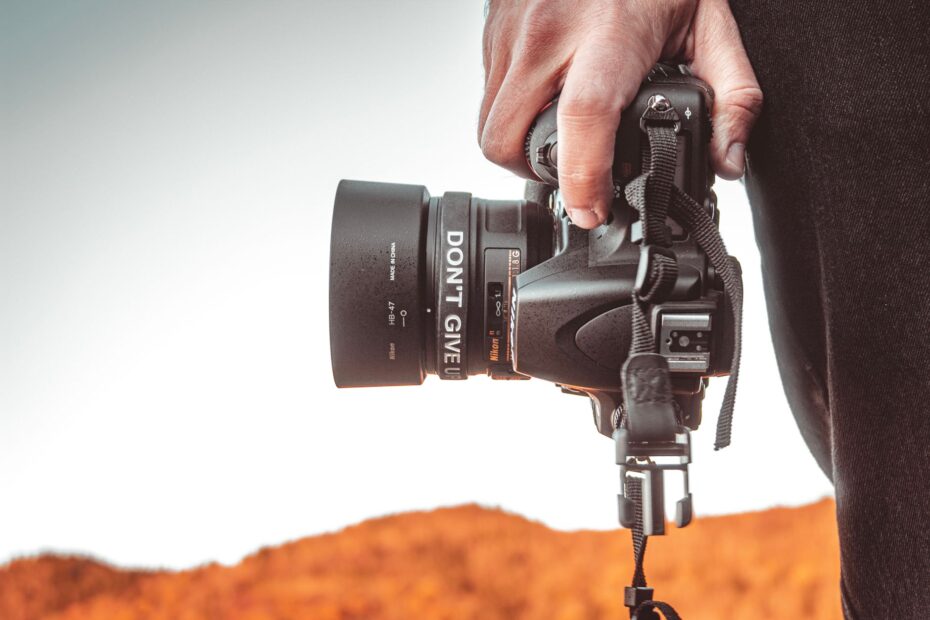
A 24-megapixel camera records a fixed number of pixels, while clarity, natural detail, and color depend on the entire imaging system. A 48MP image holds more pixel data than a 12MP image, yet your 12MP photo can look sharper in dim light because sensor size, lens quality, focus, and processing shape visible detail.
You need this distinction before choosing a phone, camera, print size, crop, or security camera. The sections below explain resolution, sensor behavior, lens limits, processing, and practical output needs.
Megapixels, Resolution, and Image Quality Describe Different Parts of a Photo
A megapixel equals one million picture elements. It tells you how much pixel data your image sensor records, not whether that data contains clean edges, accurate color, smooth shadows, or natural skin tones.
Your camera can record 48 million pixels of blur. Focus errors, subject movement, lens softness, and poor exposure can limit visible detail before pixel count has a chance to help you.
Pixel Count Defines Capture Data
A 4000 by 3000 pixel photo contains 12 million pixels, so it is a 12MP image. That number sets a ceiling for detail, but your camera reaches that ceiling only with sharp focus, stable handling, enough light, and a camera lens that resolves fine texture.
Capture resolution belongs to the image file. Display resolution belongs to the screen, while print resolution describes pixel density on paper, such as 300 pixels per inch. Your phone can display a 24MP photo without showing every recorded pixel at the same time.
| Term | What it describes | What it tells you |
|---|---|---|
| Megapixels | Total pixel count | How much image data your photo holds |
| Capture resolution | Pixel dimensions, such as 6000 by 4000 | The maximum pixel detail recorded |
| Display resolution | Screen pixel grid | How much detail your monitor or phone shows |
| Image quality | Sharpness, noise, color, tone, and motion clarity | How convincing your finished photo looks |
Visible Quality Comes From Several Controls
Sharpness comes from real edge detail, not image size alone. Image noise adds speckles or blotchy color in shadows, while dynamic range keeps bright clouds and dark jackets visible in the same frame.
Your photo also needs believable color. A strong image sensor and careful image processing keep skin from turning gray, orange, or magenta under indoor lighting.
Megapixels vs resolution covers only pixel dimensions. Image quality judges the content inside those pixels: clean detail, controlled noise, accurate color, stable exposure, and motion that remains sharp.
Resolution Labels Put 1080p and 4K Into Perspective
The numbers behind 1080p resolution and 4K describe pixel dimensions, not complete still-photo quality. Their math shows why a large-sounding video label can still contain fewer pixels than a standard phone photo.
| Pixel dimensions | Total pixels | Common label | Practical meaning for you |
|---|---|---|---|
| 1920 by 1080 | 2.07MP | 1080p | Full HD video and small display output |
| 2560 by 1440 | 3.69MP | 1440p | Higher-detail screen or video output |
| 3840 by 2160 | 8.29MP | 4K UHD | 4K video frames and large displays |
| 6000 by 4000 | 24MP | Still capture | Detailed prints and useful crop room |
A 1080p image measures 1920 by 1080 pixels, or about 2.07 megapixels. A 4K UHD frame measures 3840 by 2160 pixels, or about 8.29 megapixels.
Your 12MP, 24MP, or 48MP camera specification refers to still-image capture. Video modes can record fewer pixels than still photos because video also depends on frame rate, bitrate, heat control, and storage speed.
A 24MP camera does not place 24 million distinct details into every image. Fine branches, fabric threads, and brick edges remain visible only where your lens resolves them and your subject stays still.
Sensor Size, Lens Quality, and Processing Shape Detail Before Pixel Count
A larger sensor gives every pixel more light-gathering area at similar pixel counts. That physical difference affects shadow noise, highlight headroom, and low-light performance before your image reaches editing software.
Sensor Area Changes Pixel Behavior
A full-frame image sensor has far more surface area than a phone sensor. Your 24MP full-frame camera can use larger individual pixels than a 48MP phone sensor, giving you a cleaner starting point in a dim room.
Pixel size is not a complete score because sensor design and image processing also affect results. Still, packing extra pixel sites onto the same small sensor leaves less light for each site, which can make shadow noise more visible.
That trade-off matters in indoor portraits, night scenes, and backlit photos. Your camera needs enough light data before software can brighten dark areas without rough color patches or smeared textures.
Lenses and Motion Can Waste Resolution
Lens sharpness controls how precisely light reaches the image sensor. A soft lens spreads fine detail across several pixels, so your 48MP capture records a larger blur rather than a clearer edge.
- Focus accuracy: Your autofocus needs to land on the eye, product label, bird, or distant subject that needs detail.
- Camera stability: Hand movement during a slow shutter speed can smear fine texture across the frame.
- Subject movement: A running child or passing car needs a fast shutter speed, not added pixels.
- Exposure control: Clipped highlights and crushed shadows remove tone that extra resolution cannot restore.
- Processing choices: Heavy noise reduction can erase hair, leaves, fabric grain, and skin texture.
Dynamic range, autofocus, color accuracy, and image processing shape normal-size viewing more than a spec-sheet number. Your eyes see a bright face against a sunset and a clean dark wall before they see surplus pixels.
The 12MP and 48MP Phone Camera Difference Depends on Light
A dim restaurant scene shows why 48MP is not an automatic upgrade. Your 12MP result from a larger sensor, brighter lens, or stronger multi-frame processing can preserve cleaner faces and smoother shadows than a noisy 48MP capture.
Lower Resolution Can Hold More Usable Detail
The answer to 48MP vs. 12MP cameras depends on light, sensor area, lens quality, and output size. Your daylight landscape can benefit from a full-resolution 48MP capture, while your indoor portrait can look cleaner at 12MP because noise overwhelms tiny pixel detail.
Phone camera megapixels explained in practical terms: reserve full-resolution modes for bright scenes and crop-heavy work. Judge darker scenes by the finished photo, because HONOR, Apple, Samsung, and Google use different processing choices behind similar megapixel numbers.
Why 12MP can look better than 48MP comes down to light per pixel and image processing. A smaller output image can hide fine noise and make cleaner edges appear more natural on a phone screen.
Pixel Binning Favors Cleaner Light Capture
Pixel binning groups neighboring sensor pixels into larger effective units. A 48MP sensor arranged in a four-to-one pattern can produce a 12MP image with stronger signal, lower visible noise, and less demand on tiny lens details.
Your phone can advertise 48MP yet save 12MP photos by default. That choice trades surplus pixel count for cleaner low-light performance and more manageable image sizes.
Multi-frame HDR processing can merge exposures to protect bright signs and dark faces. Your final JPEG can look more polished than a single high-resolution frame, though aggressive smoothing can remove fine hair or leaf texture.
When a frame is sharp and clean, added pixels become most useful as latitude for enlarging or reframing it.
Extra Pixels Help With Print Size and Cropping
Once focus and exposure are solid, extra capture data gives you room to reframe. A tilted horizon, distant bird, or loose composition becomes easier to rescue because your crop retains more pixels for the final output.
| Capture count | Example dimensions | Native print size at 300 ppi | Crop flexibility |
|---|---|---|---|
| 12MP | 4000 by 3000 | 13.3 by 10 inches | Light trimming for small prints and sharing |
| 20MP | 5472 by 3648 | 18.2 by 12.2 inches | Moderate reframing with strong source detail |
| 24MP | 6000 by 4000 | 20 by 13.3 inches | Useful latitude for travel and family photos |
| 48MP | 8000 by 6000 | 26.7 by 20 inches | Deep crops, large prints, and detailed scenes |
These measurements use 300 pixels per inch, a dense print target for close viewing. Your wall print can still look strong at lower pixel density because viewing distance rises with print size.
A 16 by 24 inch print viewed from several feet away does not need the same density as a photo book held close. Your intended viewing distance changes how much pixel detail remains visible.
How megapixels affect print size and cropping is straightforward: 20MP gives you room for detailed prints around 18 by 12 inches and moderate reframing. Your source image still needs sharp focus and controlled motion, because extra pixels cannot repair a missed subject.
Phone Cameras and Dedicated Cameras Produce Different Resolution Results
Two cameras with a 24MP label can produce visibly different photos because their image sensors can differ greatly in physical area. Your available light data starts at the sensor, not at the megapixel label.
Computational Photography Offsets Phone Limits
Smartphones handle fast sharing, automatic HDR, portrait separation, and multi-frame noise control well. Your phone can capture several exposures in a fraction of a second and blend them into a bright JPEG for screen viewing.
That processing has limits. Fine foliage, moving hands, and low-contrast detail can look smeared after aggressive noise reduction, while a dedicated camera RAW image gives your editing software more original sensor data.
Your phone is convenient for family photos, travel, and quick sharing. Larger prints, fast action, night scenes, wildlife, and shallow-depth portraits favor a dedicated camera with a larger sensor and a suitable lens.
Larger Cameras Preserve Optical Choices
Interchangeable lenses let you select a wide 24mm view, a bright 50mm lens, or a long 400mm reach. Your wildlife image benefits from real optical magnification before cropping begins.
Security footage needs a separate calculation. A 4K Reolink or Tapo camera records about 8.3MP per frame, but your usable face detail depends on mounting distance, lens angle, night illumination, bitrate, and compression.
A wide 4K view can still leave a distant face too small for identification. Your camera placement and field of view matter as much as frame resolution for security footage.
Capturing enough subject detail is only part of the equation; higher-resolution footage also costs more to handle.
High Resolution Adds Storage, Processing, and Technique Demands
A high-resolution image asks more from your camera, storage card, computer, and shooting technique. Your 48MP file can reveal fine detail, but it also reveals hand shake, focus drift, lens softness, and noise that a smaller image can hide.
Smaller Pixels Face Tougher Light Conditions
Dense sensors use smaller pixel sites where sensor area stays fixed. Your shadow regions then start with less light per site, making noise more visible after exposure recovery.
Compression adds another weak point. A heavily compressed JPEG can replace fine grass, brick, or fabric texture with blocky patterns, while RAW retains more editing latitude and uses far more space on your card and drive.
Large Images Change Camera Behavior
- Storage demand: Your 48MP RAW images can use four times the space of 12MP images from a similar format.
- Burst slowdown: The camera buffer fills sooner because each frame carries more data into memory.
- Editing load: Your computer needs more RAM, graphics power, and export time for large image batches.
- Heat buildup: High-resolution video and image processing can warm compact devices during long recording sessions.
- Blur visibility: Tiny focus errors become easier to spot at 100 percent magnification on a large image.
Do not judge an image at 100 percent alone. Inspect it at the size you plan to print or display, because pixel-level flaws can disappear at normal viewing distance.
Camera shake, subject motion, poor exposure, missed focus, and harsh JPEG compression can make a 50MP image look weak. Your technique and image settings need to match the resolution you carry.
Those trade-offs make the best setting a practical choice rather than a race for the largest file.
Choose Resolution Around Your Output and Shooting Conditions
Start with the photo you need at the end, not the number printed beside the camera. Your web sharing and small prints place modest demands on capture resolution, while frequent cropping and large prints justify more pixels.
Sample Images Reveal Limits That Specifications Hide
Open full-size sample photos on a calibrated screen. Your inspection should include corner detail, skin tones under indoor light, shadow noise, highlight recovery, and motion clarity from a moving subject.
Look beyond polished daylight scenes. Night street photos, backlit portraits, and indoor action show whether your camera handles dynamic range, autofocus, lens sharpness, and low-light performance with enough consistency for your work.
Your Camera Specification Checklist
- Output size: Match your pixel count to sharing, print dimensions, and the amount of cropping you expect.
- Sensor area: Favor a larger sensor for cleaner shadows and stronger depth-of-field control.
- Lens clarity: Check center and corner detail because a soft lens limits a dense sensor.
- Autofocus behavior: Review moving-subject samples to see whether your intended subject stays sharp.
- Stabilization system: Optical or sensor-shift stabilization helps your handheld photos at slower shutter speeds.
- Processing style: Inspect JPEG and RAW samples for oversharpening, smeared detail, and unnatural color.
Megapixels vs image quality becomes useful after you connect the specification to your output and shooting conditions. Your stronger choice is the camera that gives you sharp, clean photos in the light and motion you actually face.
The Big Picture
Pixel count is capacity, not a verdict. Your 12MP camera can outperform a 48MP model in difficult light, while a high-resolution sensor earns its storage space through prints and crops where the lens, focus, exposure, and subject all cooperate.
Judge your finished image at its intended size. Give sensor area, camera lens quality, autofocus, dynamic range, and image processing at least as much weight as the megapixel label.
FAQ
What is the difference between megapixels and image quality?
Visible sharpness, noise, color, dynamic range, and motion clarity determine how a photo looks beyond its pixel count. Your photo can contain a high pixel count yet look soft or noisy because lens quality, sensor size, focus, exposure, and processing control the detail you can actually see.
Does more megapixels mean better image quality?
No. More megapixels give your image more potential detail and crop room, but your photo quality still depends on sensor size, lens sharpness, focus, exposure, motion control, dynamic range, and processing. A lower-resolution camera with better light capture can produce a cleaner, sharper image.
What factors matter more than megapixels in a camera?
In low light, sensor size, pixel size, lens sharpness, autofocus, dynamic range, stabilization, exposure control, and processing often matter more. Your camera needs clean light data, accurate focus, and a sharp lens before a large pixel count can produce visible detail.
Is 48MP or 12MP better for smartphone photos?
Forty-eight megapixels works well for bright scenes, large prints, and heavy cropping. Twelve megapixels can look better in dim light because larger effective pixels, pixel binning, and multi-frame processing reduce image noise. Your intended output and the camera’s sensor and lens decide the stronger result.
How many megapixels is a 1080p image?
A 1080p image measures 1920 by 1080 pixels, which equals 2,073,600 pixels or about 2.07 megapixels. That resolution works well for Full HD video and screen viewing, though it offers far less cropping latitude than a 12MP or 24MP still photograph.
Is 20 megapixels good quality for printing and cropping?
Twenty megapixels is ample for detailed prints around 18 by 12 inches at 300 pixels per inch and for moderate crops. Your source photo still needs accurate focus, a sharp lens, controlled motion, and proper exposure, because those factors decide whether the available resolution becomes visible detail.