A camera drone under 250 grams used to cost real money. These days, several solid picks sit in the budget range without gutting image quality or flight stability. Whether you’re a first-time pilot nervous about crashing on day one or a casual creator who just wants smooth 4K clips for a weekend trip, the right pick depends on how you actually plan to fly. This roundup breaks down nine compact, easy-to-live-with drones, weighing what each one offers, where it stumbles, and who it’s really built for.
The Picks In Brief
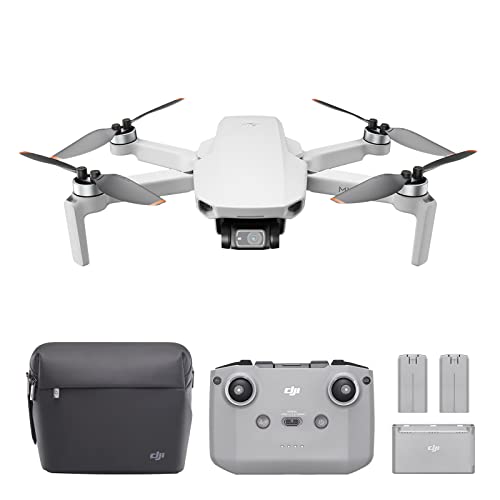
DJI Mini 2 Fly More Combo
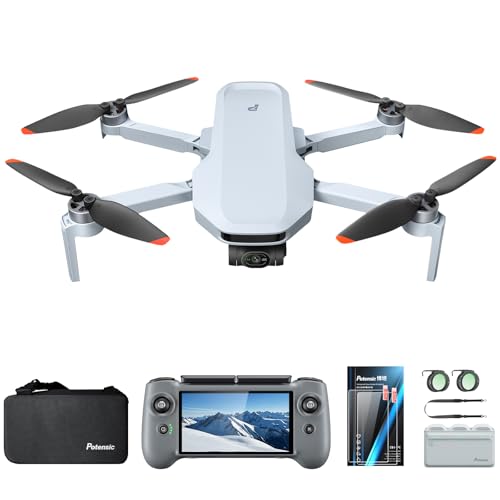
Potensic ATOM 2 Fly More Combo


DJI Mini 3 Camera Drone

GPS Drone with 1080P Camera

Mini Drone for Kids with Dual Cameras

DJI Mini 3 Pro with DJI RC
SKYROVER X1 Drone
More Details On Our Top Picks
The DJI Mini 2 Fly More Combo is what most people picture when they imagine their first “real” drone. It weighs under 249 grams, which matters because that sub-250g class usually sidesteps registration in many countries, and it folds down small enough to slip into a jacket pocket alongside a phone charger. The 3-axis mechanical gimbal (a motorised mount that physically steadies the camera against wind and movement) keeps 4K video noticeably smoother than what basic fixed-camera drones manage, and 12MP stills hold up for sharing.
The Fly More Combo bundles extra batteries, propellers, and a carry case, which is genuinely useful for day trips where one pack won’t cut it. For most casual flyers, the real appeal is how it folds into routine life: toss it in a bag, pull it out at a scenic overlook, and you’re airborne in a couple of minutes.
Practical Pluses
- Sub-249g takeoff weight keeps things simple in many jurisdictions
- Mechanical gimbal delivers noticeably smoother 4K footage
- Combo includes spare batteries and a travel case
- OcuSync 2.0 transmission reaches roughly 10km in open conditions
- 31-minute flight time gives you breathing room to compose shots
- QuickShots modes handle cinematic moves with a single tap
Things To Consider
- The transmission range claims assume wide-open space with no interference
- Wind resistance drops off in sustained gusts over 24 mph
Who Will Love This
First-time pilots who want a refined flying experience without committing to a heavier, registration-required model.
Skip It When
You want obstacle avoidance built in. The DJI Mini 3 Pro below adds tri-directional sensing that this generation simply doesn’t have.
Coming in lighter than a smartphone, the DJI Mini Neo is the friendliest entry point on this list for nervous newcomers. The 3-axis gimbal helps the footage look intentional rather than shaky, and Scale 5 wind resistance means a light breeze at a park won’t send it tumbling back to earth. Return to Home is the kind of feature you don’t appreciate until you lose orientation over a tree line and the drone quietly flies itself back to your launch spot.
Compared to the Mini 2 above, the Neo trims a few pro-leaning extras and focuses on the basics done well. For someone flying around a backyard or capturing vacation clips, the simpler control scheme may feel like a feature rather than a compromise.
Everyday Perks
- Sub-249g design avoids registration in many regions
- Improved wind handling compared to earlier entry-tier models
- Return to Home reduces the stress of long-distance flights
- Simple enough that a first-time pilot can feel confident quickly
Worth Noting
- Camera resolution sits below the 4K-capable models on this list
- Limited onboard smart-tracking compared to pricier siblings
- Proprietary batteries mean carrying spares adds bag weight
Made For
First-timers who prioritise ease of flight over advanced cinematic features and want the lightest possible learning curve.
Look Elsewhere When
You want vertical video for social posts. The DJI Mini 3 offers native portrait orientation that the Neo lacks.
The Potensic ATOM 2 leans into creator features without pricing itself out of reach. The 4K camera pairs with a 3-axis gimbal, and the included ND filters (Neutral Density filters that reduce incoming light, letting you shoot with slower shutter speeds in bright conditions) plus CPL filters (Circular Polarising filters that cut glare and deepen sky tones) let you dial in cinematic looks without buying extras. Vertical shooting orientation makes sense for anyone posting to social feeds, and the AI tracking follows a subject without much fuss.
What sets the ATOM 2 apart in this roundup is the claimed 96-minute total flight time spread across multiple batteries. For a long afternoon of landscape clips, that headroom removes the “charge anxiety” that single-battery setups create. The 10km transmission claim is generous, but in everyday use the practical range is plenty for most locations.
What Pays Off
- Three batteries in the combo push total flight time around 96 minutes
- Included ND and CPL filters expand creative options on bright days
- Vertical shooting orientation simplifies social-first content
- AI subject tracking helps solo creators frame themselves
Trade Offs
- Filter mounting requires care to avoid affecting gimbal balance
- Less established app ecosystem than the DJI alternatives
Best Suited To
Content creators who shoot long sessions and want filters and tracking built into the box.
Consider Something Else When
App polish matters most to you. The DJI Mini 2 Fly More Combo above offers a more mature software experience.
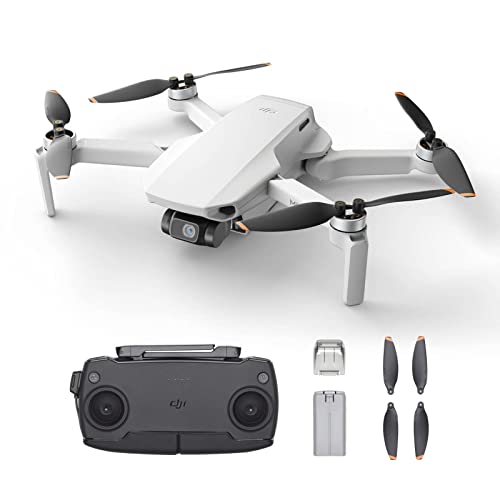
Stripped of the Fly More extras, the standalone DJI Mini 2 is the lightest way to get DJI’s 4K gimbal system into a backpack. The same sub-249g frame, 31-minute flight time, and OcuSync 2.0 transmission show up here, just without the spare batteries and case. That makes it a sensible pick for someone who already owns compatible accessories or only plans a handful of flights per trip.
If you’ve been eyeing the Fly More Combo above but don’t need the extras, this base version trims the package down without gutting the core experience. The 3-axis gimbal still does the heavy lifting on image quality, and QuickShots still handles those one-tap cinematic moves.
Good Reasons To Consider
- Full DJI Mini 2 flight and camera system at a leaner package
- Same 4K/30fps and 3-axis gimbal as the Combo version
- 31-minute flight time per battery in calm conditions
Points To Note
- Only one battery included out of the box
- No bundled carry case for transport
- Spare parts and accessories cost extra later on
The Right Fit
Travelers who already own batteries or cases and want the bare-bones Mini 2 experience.
Reach For A Different Pick When
You want the full accessory bundle. The DJI Mini 2 Fly More Combo up top includes the extras most people end up buying anyway.
Key Specs
The DJI Mini 3 carves out a niche for social-first creators with its true vertical shooting. Rather than cropping a landscape frame, the gimbal rotates natively to deliver a portrait-oriented clip ready for phone screens. That’s a small detail on paper, but anyone who’s tried to repost drone footage to a vertical feed knows the difference it makes.
Battery life is a quiet strength, and the extended-flight option pushes sessions meaningfully longer than the Mini 2 generation. Compared to the Mini Neo above, this is a meaningful step up in image quality and shooting flexibility, especially for content where framing matters as much as the footage itself.
Useful Highlights
- Native vertical shooting saves editing time for social posts
- 3-axis mechanical gimbal in a sub-249g body
- Improved battery life over the previous Mini generation
Honest Caveats
- No built-in obstacle avoidance like the Mini 3 Pro offers
- App activation is required before first flight, which catches some new owners off guard
Perfect Match For
Social media creators who need portrait framing without post-production workarounds.
Swap It Out When
You want obstacle sensing alongside your vertical footage. The DJI Mini 3 Pro further down combines both features.
Not every drone pilot wants to mount their phone in a controller cradle. The Sewsunny GPS drone solves that frustration by building a 4.5-inch LCD screen directly into the remote, so the live feed shows up without draining your phone or fighting app permissions. For casual flyers who want to launch and shoot without fiddling, that built-in screen removes a real point of friction.
GPS-assisted flight helps the drone hold position even when you let go of the sticks, and the 1080P camera is honest about what it is: a step below the 4K crowd, but plenty for sharing online. Compared to the DJI Mini Neo above, this one trades image resolution for that phone-free convenience.
Everyday Advantages
- Built-in LCD screen means your phone stays in your pocket
- GPS hold keeps the drone steady when you release the sticks
- Dual control options for screen or app-based flying
Less Ideal Details
- 1080P resolution trails the 4K models elsewhere on this list
- Screen brightness can struggle in direct midday sun
- Less established support ecosystem than the major brands
Whose Shelf It Belongs On
Anyone who flies casually and prefers not to tether their phone into the controller every session.
Another Choice May Suit When
Resolution matters most. The DJI Mini 2 Quadcopter above captures sharper 4K footage in a similar form factor.
The Mgfdget Mini Drone takes a different lane entirely. It’s a gift-friendly quadcopter designed for younger pilots or anyone learning the basics without risking a serious investment. One key takeoff and landing, altitude hold, and headless mode (a setting where the drone always moves relative to the pilot rather than its own facing) reduce the early-learning frustration that usually sidelines new flyers in their first week.
Two cameras let kids experiment with angles without needing an advanced gimbal, and 3D flips add the kind of playful feature that makes the drone feel like more than a learning tool. Two batteries in the box extend the fun past the initial charge. For indoor family time or backyard practice, it covers what matters.
Positive Points
- Beginner-proof controls reduce the early learning curve
- Two batteries extend flying sessions out of the box
- Foldable design keeps it safe in a backpack or drawer
Where It Is Less Suited
- Camera quality is light years behind the DJI models above
- Not built for outdoor wind or long-distance flying
- Smaller propellers make it vulnerable to hard crashes on concrete
Built With In Mind
Kids and absolute beginners who want a low-stakes way to learn how drones fly before moving up.
Where Another Pick Suits Better
The recipient wants real aerial footage. The DJI Mini Neo above captures noticeably better video for roughly the same learning effort.
The DJI Mini 3 Pro is the serious pick in this roundup. It shoots 4K/60fps video with a 48MP camera sensor, an f/1.7 aperture (a wide lens opening that lets in more light for cleaner low-light shots), and dual native ISO (a sensor feature that reduces noise in both bright and dim conditions). The tri-directional obstacle sensing uses APAS 4.0 (Advanced Pilot Assistance System, an automated braking and rerouting algorithm) to brake and reroute around branches, walls, and other surprises. That last point matters when you’re flying around trees or tight indoor spaces.
True vertical shooting returns, and 34 minutes of flight time means longer sessions without landing to swap packs. The DJI RC controller has its own built-in screen, so there’s no phone cradle dance. Compared to the Mini 3 above, this is the same chassis plus obstacle awareness and a faster video frame rate, and the difference shows in real-world footage.
Noteworthy Benefits
- 4K/60fps video handles motion and slow-motion edits
- Tri-directional obstacle sensing reduces crash risk in tight spaces
- 34-minute flight time stretches sessions meaningfully
- f/1.7 aperture supports cleaner footage in lower light
- FAA Remote ID compliant for pilots who need to register
Trade-Offs To Consider
- Carries a premium over the Mini 3 base model
- Obstacle sensing doesn’t cover every direction
Who Should Grab It
Enthusiasts and semi-pro creators who want flagship-grade footage in a portable, sub-250g body.
Not Your Match When
Budget is the priority. The DJI Mini 2 Fly More Combo delivers strong 4K at a more approachable package.
Feature Snapshot
The SKYROVER X1 closes out this list by pushing safety features into a sub-249g frame. Its 360-degree obstacle sensing wraps protection around the drone rather than just forward and backward, which feels reassuring when you’re flying close to tree lines or indoor obstacles. The 1/1.32-inch CMOS sensor and f/1.7 aperture pair well with 4K/60fps HDR video for footage that holds up in tricky lighting.
The 9.32-mile transmission range is generous on paper, and the 32-minute flight time sits comfortably between the Mini 3 and Mini 3 Pro. Compared to the Mini 3 Pro above, this trades some DJI ecosystem maturity for a more aggressive obstacle-sensing package. For outdoor adventurers who want maximum safety nets, the X1 makes a strong case.
The Good Stuff
- 360-degree obstacle sensing adds a meaningful safety buffer
- Sub-249g design keeps it portable and registration-friendly
- 4K/60fps HDR video handles mixed lighting gracefully
- 32-minute flight time stretches each session
Potential Sticking Points
- App and firmware support is newer than the DJI alternatives
- Long-range transmission assumes clear, interference-free airspace
Right Fit For
Outdoor flyers who prioritise obstacle awareness in environments full of trees, cliffs, or tight corridors.
Look Elsewhere When
You want a long-standing app ecosystem. The DJI Mini 3 Pro above benefits from years of software refinement and accessory support.
Feature Card
Picking A Budget Camera Drone That Actually Fits How You Fly
Weight class matters before anything else. Drones under 249 grams usually bypass registration in many countries and travel lighter, which is why almost every pick on this list targets that threshold. If you’re flying in a country with different rules, verify local requirements before taking off.
A 3-axis mechanical gimbal separates drones that produce usable video from those that produce shaky phone footage scaled up. For any creator planning to share clips beyond a personal photo library, that hardware stabilisation is the single biggest upgrade you can buy. Fixed-camera drones still work for casual snapshots, but the smoothness difference is obvious on any screen bigger than a phone.
Gimbal-assisted vertical shooting is a quiet luxury for social-first creators. The DJI Mini 3 and Mini 3 Pro rotate the gimbal natively, so the resulting footage fills a phone screen without awkward cropping or quality loss.
Obstacle avoidance saves money over time. Models with tri-directional or 360-degree sensing reduce the chance of a $500 mistake into a $50 lesson. For beginners flying near trees, indoors, or around people, that safety margin is worth weighing against raw camera specs.
Battery strategy shapes the experience more than most specs suggest. A single 30-minute battery sounds fine until you’re mid-shoot and watching the percentage drop. Combos that include two or three packs let you keep flying through a sunset rather than calling it after one angle.
Finally, transmission range deserves healthy skepticism. Manufacturer claims assume open, interference-free airspace, and most pilots rarely push past a few hundred metres in real conditions. A reliable short-range signal matters more than headline distance numbers.
Key Considerations Across These Picks
Common Buying Traps
The biggest trap in this category is chasing camera megapixels while ignoring the gimbal. A 48MP sensor on a fixed mount produces wobbly footage no one wants to rewatch, while a stabilised 12MP camera often looks better in real-world playback. Sensor size, aperture, and stabilisation matter more than headline pixel counts for most use cases.
Another common miss is underestimating battery math. A drone with a 30-minute flight time per pack is really a 25-minute drone in real wind, and you’ll often want a second pack before the day is done. Look at combo kits with multiple batteries rather than base kits you’ll replace within a month.
When Paying More Pays Off
The price gap between entry-tier and mid-tier drones usually buys three things: better obstacle sensing, longer effective transmission range, and improved low-light camera performance. If you fly mostly in golden hour, indoors, or near complex environments, those upgrades compound quickly.
Higher-tier models also tend to support longer software lifecycles, with firmware updates that improve flight characteristics well after purchase. For pilots who plan to keep their drone for a couple of years rather than upgrade annually, that ongoing support matters as much as the day-one feature list.
Frequently Asked Questions
Do budget drones with cameras need to be registered?
Most drones under 249 grams skip registration in many regions, including parts of North America. Rules vary by country, so check your local aviation authority before flying. Weight class is the easiest threshold to confirm.
How long do these drones actually fly per battery?
Manufacturer flight times assume calm conditions and hover-friendly flying. In real wind and active piloting, expect around 80 percent of the rated number. Combos with two or three batteries extend your day proportionally.
Can I fly these drones indoors?
Sub-250g drones handle indoor flight reasonably well, especially models with obstacle sensing. GPS may not work indoors, so expect slower reactions and stick to open spaces until you trust the controls. Propeller guards help in tight rooms.
What’s the difference between 1080P and 4K footage?
1080P (Full HD) looks fine on phones and social feeds. 4K captures roughly four times the detail, which gives you room to crop, stabilise further in post, or print larger stills. For archival or cinematic projects, 4K pays off; for casual sharing, 1080P is acceptable.
Do these drones work in wind?
Sub-250g drones handle light breeze comfortably but struggle in sustained gusts above 24 mph. Models with higher wind resistance ratings (like the Mini Neo) hold up better, but no lightweight drone enjoys stormy conditions. Fly early morning or evening for the calmest air.
Closing Remarks
The best budget camera drone is the one you’ll actually take outside. Match the pick to your real use case, a casual pilot wants ease, a creator wants footage quality, a parent wants durability, and the right drone falls out from there. Start with what you’ll do most often, then weigh the trade-offs that come with each pick.